There isn’t a direct way as this is a third party script. It might already have all this info
Here are full steps to do translation
Here are the instructions for Chinese obviously you would do it for your language:
1. In the PHP Point Of Sale folder, navigate to system/language/
2. Copy the english folder and create a chinese folder
3. Open the text files and translate as necessary (optional)
4. In the PHP Point Of Sale folder, navigate to application/language/
5. Copy the english folder and create a chinese folder
6. Open the text files and translate as necessary (required)
7. In the PHP Point Of Sale folder, navigate and open application/views/config.php. application/views/employees/form.php, application/views/partial/header.php, application/views/login/edit_profile.php
Find:
and add your chinese language as shown by example in the code.
save the file.
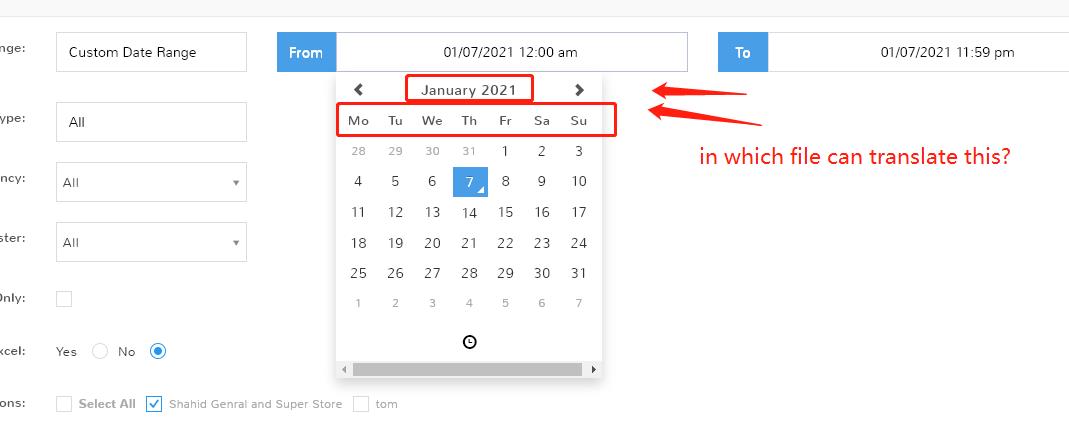
8. Modify application/helpers/MY_date_helper.php —> function get_js_locale add
‘chinese' => 'zh-cn',
Now you will be able to pick the Chinese language from the config AND employee section of the page, and the program will be translated.

Comments
1 comment
There isn’t a direct way as this is a third party script. It might already have all this info
Here are full steps to do translation
Here are the instructions for Chinese obviously you would do it for your language:
1. In the PHP Point Of Sale folder, navigate to system/language/
2. Copy the english folder and create a chinese folder
3. Open the text files and translate as necessary (optional)
4. In the PHP Point Of Sale folder, navigate to application/language/
5. Copy the english folder and create a chinese folder
6. Open the text files and translate as necessary (required)
7. In the PHP Point Of Sale folder, navigate and open application/views/config.php. application/views/employees/form.php, application/views/partial/header.php, application/views/login/edit_profile.php
Find:
and add your chinese language as shown by example in the code.
save the file.
8. Modify application/helpers/MY_date_helper.php —> function get_js_locale add
‘chinese' => 'zh-cn',
Now you will be able to pick the Chinese language from the config AND employee section of the page, and the program will be translated.
Please sign in to leave a comment.